It is Heaven! Using the Cloud to Challenge Big Business

It is  Heaven! Using the Cloud to Challenge Big Business
It is Heaven! Using the Cloud to Challenge Big Business
Has anyone suggested you begin moving your business to the cloud? Cloud data storage or cloud computing? What is this, anyhow? And isn't it something for huge companies?
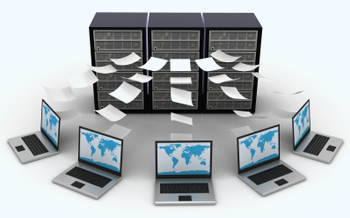
In the last post we explained what cloud computing is. Simply put, it is the offsite storage of your data, and perhaps even the software packages you use. The primary benefit is pretty straightforward. Somebody else pays for all the hardware and support costs needed to store your data. You pack up all your own servers, wiring, etc. and take them to the recycling center, and save money. But is that all it is? There is a much stronger case for a small business to incorporate the cloud in their business model. The cloud allows you to become competitive with the big players in your industry.
The traditional issue holding back small business: they do not have the capital to create the infrastructure to compete with large firms. They are too small to enjoy economies of scale. One obvious area is software and hardware. Historically, the technology used by big business has been out of reach of the little guys. Most SMBs have neither the hardware budget nor internal resources to own a network infrastructure. A small business does not have capital to buy the equipment. Take a simple example: You run a storefront, but think you might be able to sell a bit more if you went online, but you don't know how much more. You can't justify the capital to buy the hardware, software, and the labor to design, build, and support it all. The cost of entry to the online world is just too much.
The cloud ends all of that. In simple terms, the cloud lets you rent just as little infrastructure as you need, and then lets you grow as incrementally as you like, paying only for what you use.Essentially, the cloud has become the great equalizer. The high cost of entry created by IT can be eliminated by the cloud.

Comments

Popular posts from this blog

Four Key Components of a Robust Security Plan Every SMB Must Know

Four Key Components of a Robust Security Plan Every SMB Must Know Most businesses are now technology dependent. This means security concerns aren’t just worrisome to large corporate enterprises anymore, but also the neighborhood sandwich shop, the main street tax advisor, and the local non-profit. Regardless of size or type, practically any organization has valuable digital assets and data that should not be breached under any circumstances. This makes it the responsibility of every business, especially those collecting and storing customer/client information, to implement a multipronged approach to safeguard such information. Yes, we’re looking at you, Mr. Pizza Shop Owner who has our names, addresses, phone numbers, and credit card information stored to make future ordering easier and hassle free. Today’s SMB Needs a Robust Security Plan Protecting your business and its reputation comes down to developing, implementing, and monitoring a robust security p...

3 Things to Consider Before Jumping Into BYOD

3 Things to Consider Before Jumping Into BYOD You’ve read it time and time again. “Bring Your Own Device” isn’t a trend, it’s the future. Workplaces where companies let workers use their own devices for work purposes are the new normal. BYOD attracts new hires and lifts employee morale and productivity. But this doesn’t mean a small business owner should recklessly jump right into BYOD just because everyone else is doing it.  Data and network security concerns have to be thought out, defined, and addressed in a comprehensive BYOD policy. Here are three things to consider. Cost of Support Most businesses salivate at the thought of the money saved by having employees participate in a BYOD program. With employees using their own devices for work, there is no need to shell out thousands of dollars for desktop PCs, smartphones, tablets, and laptops. While that’s undoubtedly a huge incentive, extra support costs must also be factored in. Chances are your employ...

How Much Does Downtime Really Cost Your Business?

Many SMB owners think IT downtime only costs them a few productive hours, but there’s a lot more at stake when your systems go down. Customer satisfaction and loss of brand integrity are just two of the key losses apart from the more evident costs such as lost productivity and a temporary dip in sales. Here’s a few other ways downtime can hurt your business: 1. Customer Loss - Today’s buyer lacks patience; They are used to getting everything at the click of a mouse, at the tap of a finger. Suppose they are looking for the kind of products/services that you offer and your site doesn’t load or is unavailable—even if temporarily-- you are likely to lose them to a competitor—permanently. 2. Damage to Brand Reputation - Customers are now using Social media platforms like Facebook and Twitter and blogs to vent their bad brand experiences. Imagine an irate customer who doesn’t know if their card was charged on your site, or not, due to a server error. If it’s your...